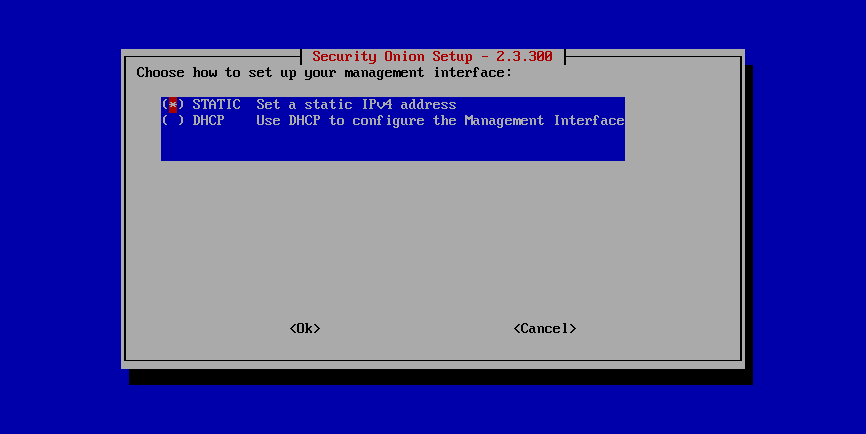
Security Onion 2.3.300 is now available! It includes updates for both Suricata and Strelka:
https://docs.securityonion.net/en/2.3/release-notes.html#changes
Please note that Zeek now includes Community ID by default. This could potentially cause a problem if you've modified your Zeek config in the past. If you have /opt/so/saltstack/local/pillar/zeek/init.sls, then you should move it another location so that it doesn't override the new Zeek config. For example, please see:
https://github.com/Security-Onion-Solutions/securityonion/discussions/11922
Also note that, if you are running Security Onion as a VM in Proxmox, you may need to update the CPU type of your Security Onion VM due to changes in Docker containers:
https://docs.securityonion.net/en/2.3/proxmox.html#cpu
2.3 EOL
This 2.3.300 release is the LAST release for Security Onion 2.3! Security Onion 2.3 will reach End Of Life (EOL) on April 6, 2024:
https://blog.securityonion.net/2023/10/6-month-eol-notice-for-security-onion-23.html
Please migrate to Security Onion 2.4 soon!
Documentation
You can find our online documentation here:
https://docs.securityonion.net/en/2.3/
New Installations
If you want to perform a new installation, please review the documentation and then you can find instructions here:
https://docs.securityonion.net/en/2.3/download.html
Existing 2.3 Installations
WARNING! If you have an existing Security Onion 2.3 installation that hasn't yet been updated to version 2.3.140 or higher, then you should be aware that the Elastic components will undergo a major version upgrade to version 8. Please review and follow the steps at the link below. Failure to do so could result in loss of access to all data stored inside of Elastic and a non-functioning Security Onion installation.
https://docs.securityonion.net/en/2.3/soup.html#elastic-8
Please be aware that custom settings in Kibana may be overwritten during upgrade. We recommend that you test the upgrade process on a test deployment before deploying to production. If you have a distributed deployment, then we recommend monitoring SOC Grid while your update is running to verify that all nodes update properly. If there are issues, you can review logs, services, and containers for any additional clues. If you need help, please see our support information below.
If you have custom Elasticsearch templates, please see:
https://docs.securityonion.net/en/2.3/elasticsearch.html#custom-templates
For more information about the update process, please see:
https://docs.securityonion.net/en/2.3/soup.html
AWS Marketplace
Existing Security Onion 2 AMI users should use the "soup" command to upgrade:
https://docs.securityonion.net/en/2.3/soup.html
AMI Documentation:
https://docs.securityonion.net/en/2.3/cloud-ami.html
Azure Marketplace
Existing Security Onion 2 users on Azure should use the "soup" command to upgrade:
https://docs.securityonion.net/en/2.3/soup.html
Azure Documentation:
https://docs.securityonion.net/en/2.3/cloud-azure.html
Questions or Problems
If you have questions or problems, please see our community support forum guidelines:
https://docs.securityonion.net/en/2.3/community-support.html
You can then find the community support forum at:
https://securityonion.net/discuss
Thanks
Lots of love went into this release!
Special thanks to all our folks working so hard to make this release happen!
- Josh Brower
- Jason Ertel
- Wes Lambert
- Corey Ogburn
- Josh Patterson
- Mike Reeves
Training
Need training? Start with our free Security Onion Essentials training and then take a look at some of our other official Security Onion training!
https://securityonion.net/training
Hardware Appliances
We know Security Onion's hardware needs, and our appliances are the perfect match for the platform. Leave the hardware research, testing, and support to us, so you can focus on what's important for your organization. Not only will you have confidence that your Security Onion deployment is running on the best-suited hardware, you will also be supporting future development and maintenance of the Security Onion project!
https://securityonionsolutions.com/hardware
Screenshot Tour
If you want the quickest and easiest way to try out Security Onion 2, just follow the screenshots below to install an Import node and then optionally enable the Analyst Workstation. This can be done in a minimal VM with only 4GB RAM! For more information, please see:
https://docs.securityonion.net/en/2.3/first-time-users.html